
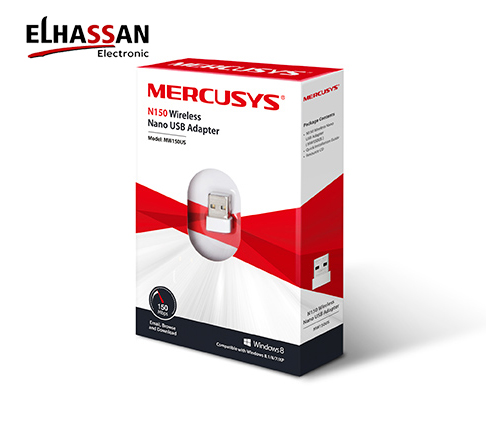
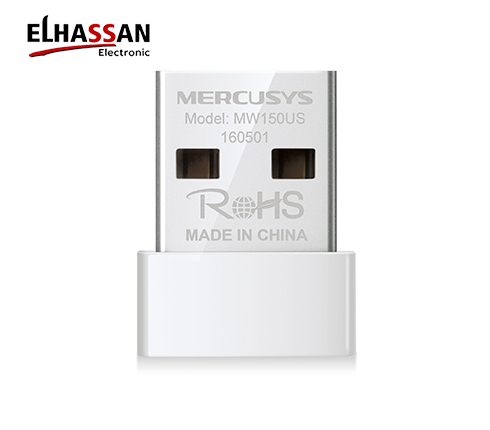
Mercusys MW150US N150 Nano Wireless USB Adapter
EGP200.00
Brand: Mercusys Wishlist Please, enable Wishlist.Mercusys MW150US N150 Nano Wireless Wireless USB WiFi Adapter (2.4GHz)
The Mercusys MW150US provides a highly convenient and invisible solution for adding high-speed wireless connectivity to your desktop or laptop computer. Moreover, its ultra-compact nano framework allows you to plug it into any USB port and leave it there safely without blocking neighboring interfaces. This reliable USB adapter is an excellent choice for smooth web browsing, quick file downloads, and stable internet chat tools.
■ Miniature Nano Architecture & Robust WPA2 Wireless Safeguards
- 150Mbps Wireless N Speed: Supports efficient Wi-Fi data speeds reaching up to 150Mbps on the stable 2.4GHz network band. Consequently, it offers completely reliable execution for basic daily internet operations and email management.
- Ultra-Compact Form Factor: Features a miniature structural body design measuring just 18.9 mm in length. Therefore, it fits perfectly flush against your PC chassis to prevent accidental damage or bending during travel setups.
- Advanced Security Standards: Embraces full compatibility with industry-standard WEP, WPA/WPA2, and WPA-PSK/WPA2-PSK encryption mechanisms. Furthermore, this internal security protocol heavily protects your local computer data network against unauthorized breaches.
■ Technical Specifications
| Category | Specification Details |
|---|---|
| Brand & Model | Mercusys MW150US (An Affiliate of TP-Link) |
| Hardware Interface | Standard USB 2.0 Port Connectivity |
| WiFi Speed & Band | Up to 150Mbps Output Speed Range | 2.400 – 2.4835 GHz Frequency |
| Antenna Architecture | 1 x High-Efficiency Internal Stealth Antenna |
| Wireless Protocols | IEEE 802.11n, IEEE 802.11g, IEEE 802.11b Standards |
| Dimensions | Ultra Micro Size: 18.9 × 14.8 × 6.85 mm |
| Factory Warranty | Full 2 Years Official Security Warranty Support |
Expert Tip by EL Hassan Electronic: The Mercusys MW150US is the ultimate trouble-free fix for aging computers without built-in Wi-Fi hardware. Specifically, due to its plug-and-play design profile on modern Windows operating systems, you can just slot it directly into an open back USB slot, and the PC will immediately latch onto your local home router network without needing old CD driver setup steps.
Related products
Reviews
There are no reviews yet.